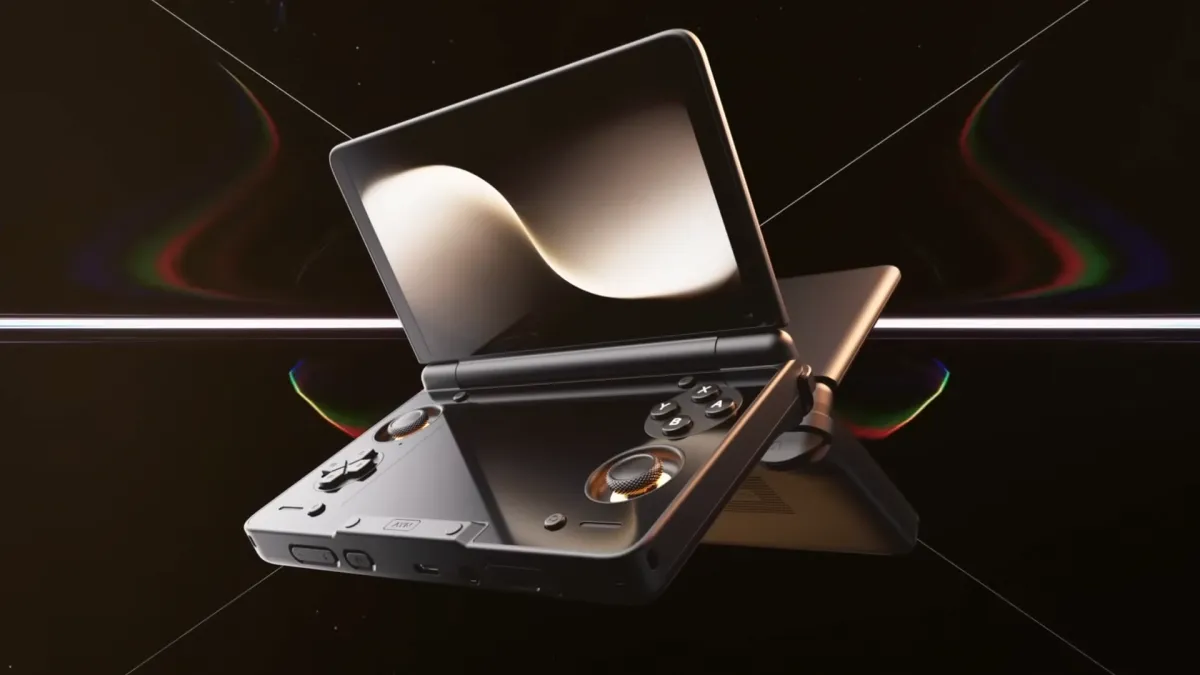
AYN Thor is for a very particular kind of person. The person who misses clamshell gaming, wants a dual-screen layout for DS and 3DS-style play, and has developed a healthy intolerance for dull LCD panels. Thor is built around that fantasy: a dual-screen clamshell Android handheld with AMOLED on top, AMOLED on the bottom, modern Snapdragon options, and active cooling so it can actually behave like a handheld and not a pocket space heater.
Now it has an OTA update that finally treats those OLED panels like the main character. AYN’s v1.0.0.360 update is not a gimmick. It’s the kind of unglamorous maintenance that makes an expensive screen device feel less like a science project and more like something you can confidently keep for years.
What the AYN Thor is
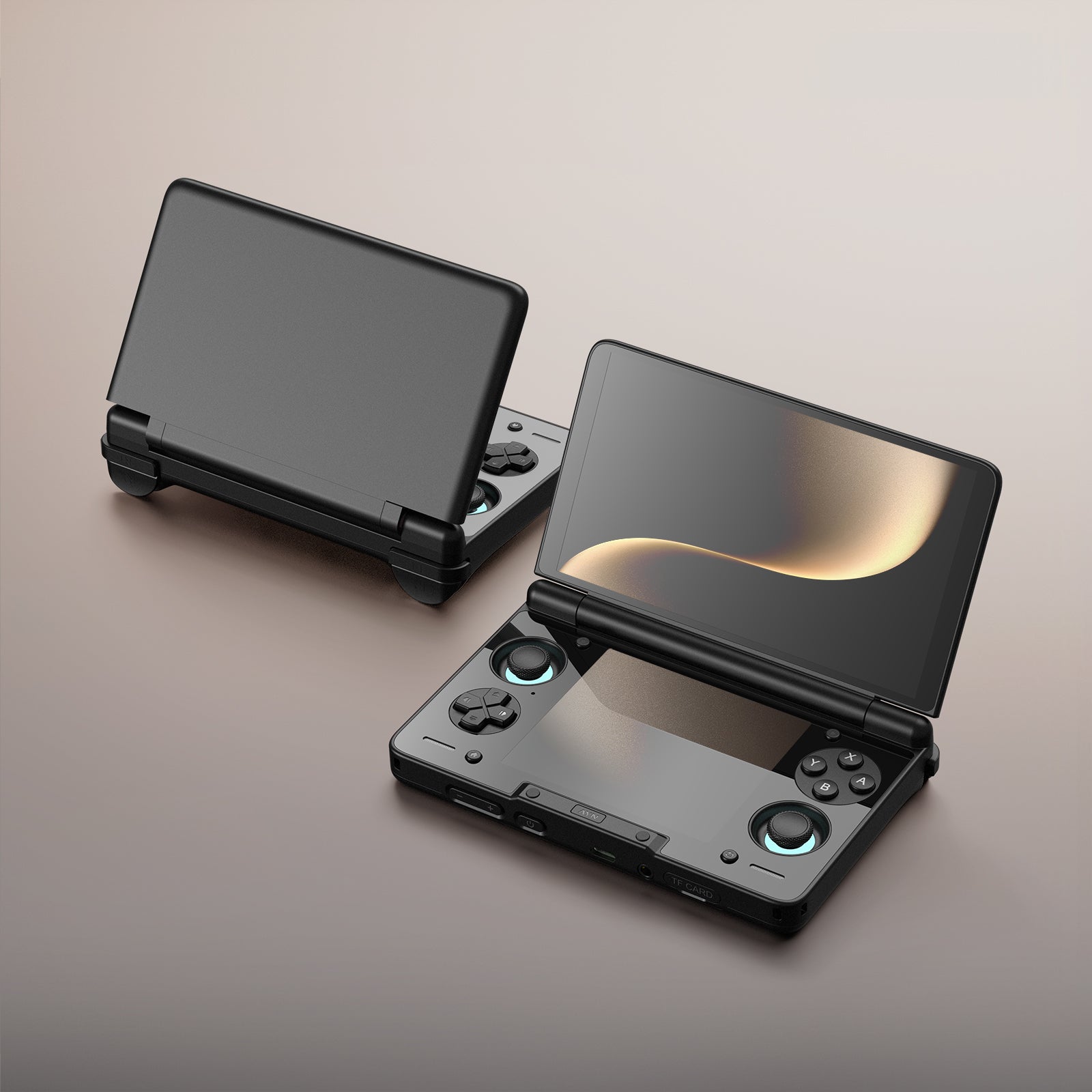
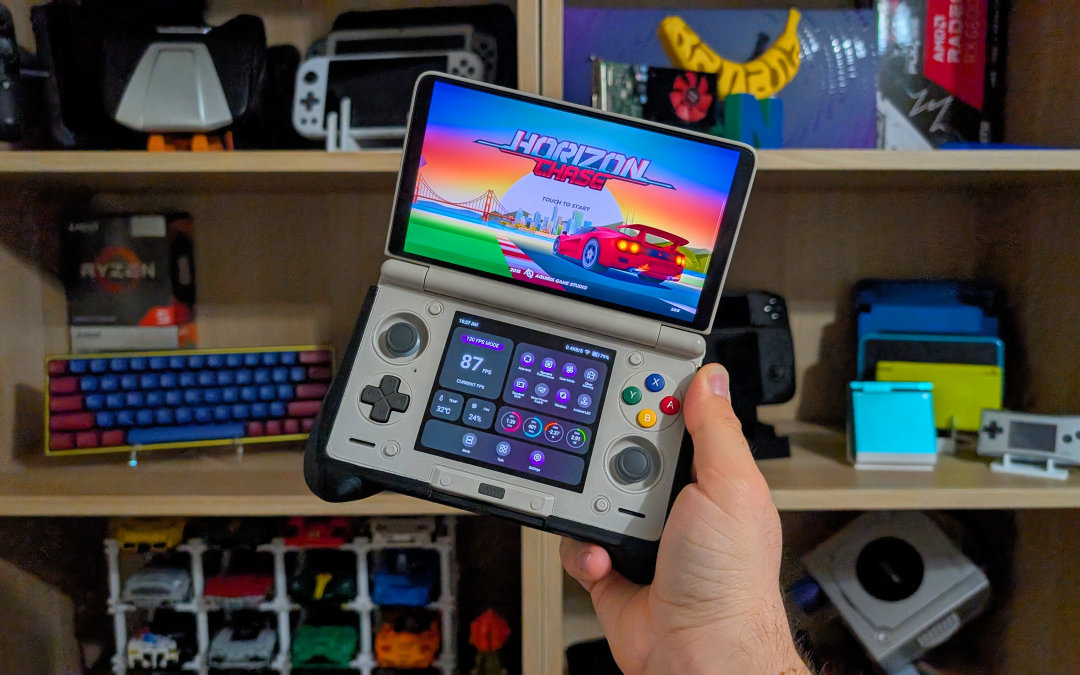
Thor is a dual-screen, clamshell Android handheld built around two AMOLED displays: a 6-inch class main panel up top and a 3.92-inch secondary panel on the bottom. The form factor is intentionally familiar for anyone who lived through the DS era, but the software flexibility is pure Android: emulation, streaming, native Android games, and whatever else you decide to over-engineer at 1 a.m.
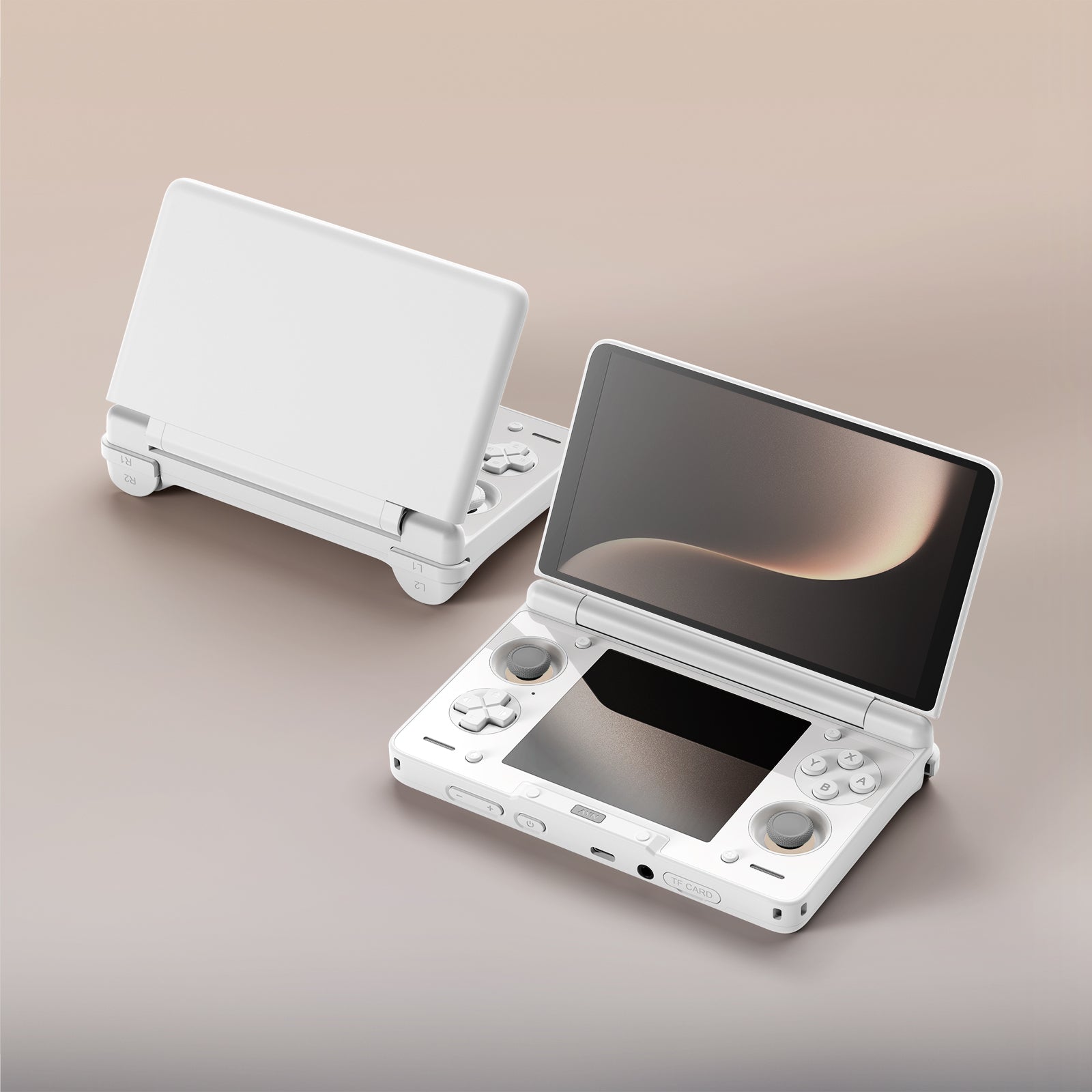
AYN sells Thor in multiple configurations, including a Snapdragon 865-based Lite model and Snapdragon 8 Gen 2 models in higher tiers. It also includes active cooling and a 6,000mAh battery, because “dual OLED clamshell” is not the sort of concept that thrives on wishful thinking.
What changed in update v1.0.0.360
Retro Handhelds summarized the update as a bundle of user-requested fixes and quality-of-life improvements. The important part is not the length of the list. It’s that the list targets the exact pain points you’d expect from a dual-screen OLED handheld.
- OLED panel protection: anti-image retention features intended to reduce lingering UI traces during long sessions.
- HDR behavior improvements: more consistent handling for HDR content and apps.
- Thermal and fan tuning: adjustments to performance modes, plus smarter fan behavior and user-facing fan control options.
- Lower-screen usability: better visibility and compatibility for third-party launchers on the bottom screen.
- Audio tuning: an updated EQ intended to improve bass response.
- Charging controls: additional charging options, including charge limits designed to reduce long-term battery stress.
- Battery percentage recalibration note: AYN warns the update may temporarily skew charge reporting, and recommends power cycling and a full discharge/recharge to settle it.
Why OLED fans should care, specifically
OLED is glorious and slightly neurotic, which is why people love it and worry about it in equal measure. The blacks are perfect. The contrast is addictive. The risk profile is also real when you spend hours staring at static UI elements.
A dual-screen handheld is practically a worst-case scenario for static elements: emulator overlays, status bars, maps, button prompts, the same launcher tiles, and the kind of pause screens you swear you’ll only leave up for a minute. Anti-image retention features are not flashy, but they are the difference between enjoying your display and quietly policing your own habits like a disappointed parent.
The bottom screen matters most here. It’s often where persistent controls and overlays live, and it’s the screen you’re most likely to leave unchanged for long stretches. Protecting it is not optional. It’s basic competence.
Thermals are not just comfort, they’re consistency
Overheating is not only about warm hands. Heat affects sustained performance, battery efficiency, and how aggressively a handheld throttles under load. AYN’s thermal and fan changes are meaningful because they target the “long session” reality: streaming, heavy emulation, and demanding Android games don’t fail instantly. They fail slowly, then ruin your evening.
There’s also a quieter benefit: stable thermals help keep screen behavior more consistent across long play sessions. If you’re buying OLED, you probably notice when brightness and tone behave differently from one moment to the next. This update aims to make the device feel steadier.
HDR improvements are the kind you notice after a week
HDR can look spectacular on OLED and strangely wrong everywhere else. When HDR handling is inconsistent, you get odd tone mapping, crushed detail, or that “why is this gray” problem that makes people turn HDR off and pretend it never existed.
If you use Thor for streaming, cloud play, or HDR-capable Android titles, improved HDR behavior is one of those upgrades that makes the device feel less fussy over time. Not exciting. Just better. Which is the goal.
How to install the update
AYN is distributing v1.0.0.360 as an OTA update through the Thor’s built-in updater in Settings. After installing, plan for one practical annoyance: AYN notes battery percentage reporting may be temporarily off. A full discharge and recharge cycle can help recalibrate it.
Where to buy the AYN Thor
The cleanest path is the official AYN store listing, which shows the available tiers, colors, and batch-based shipping timeline. At the time of writing, AYN’s listing also notes batch shipping expectations for upcoming orders.
You may also see Thor sold through marketplaces and resellers. If the price is wildly above AYN’s own listing, you’re not paying for a better product. You’re paying for impatience. Sometimes that’s a valid choice. It’s just best made with your eyes open.
Why this update matters in the bigger picture
Thor is not just a novelty clamshell with two OLED panels. It’s AYN claiming that dual-screen handheld play can exist again without being trapped in 2007 hardware. Updates like v1.0.0.360 are how that claim becomes believable.
OLED protection reduces long-term anxiety. Fan and thermal tuning reduce the day-to-day annoyances that make people stop using handhelds. Charging limits show at least some interest in device longevity, not just spec sheet bragging. If you own a Thor, install it. If you were on the fence, this is the kind of support that makes the purchase feel less risky.
Sources and further reading
- Retro Handhelds: v1.0.0.360 update highlights and battery recalibration note
- AYN official store: Thor specs, configurations, and batch shipping notes
- Notebookcheck: software update coverage and broader context
- Android Central: Thor announcement and core hardware overview
For editors and managers:
- What this is about: AYN’s Thor OTA v1.0.0.360 update and why it materially improves the ownership experience for a dual-screen OLED handheld.
- Why it matters: Adds OLED anti-image retention measures, improves HDR behavior, and refines thermals and fan control, addressing the highest-risk pain points for long sessions on OLED.
- Who this is for: Owners and prospective buyers who care about OLED longevity, stable performance, and dual-screen usability for emulation, streaming, and Android gaming.
- Purchase guidance: Points readers to the official AYN store listing and explains batch-based availability in plain language.
About the Author


Chad Hughes is a Cross Disciplined tech Founder, most notably for Professor Soni Agentic AI and founding Veribeat Capital.